Connecting Genesys Cloud (beta)
Erlangly connects to Genesys Cloud itself: it listens to your agents' presence and routing status as they change (for adherence and the wallboard) and reads your queues' volumes every 15 minutes (for forecasting), with the last 13 weeks when you first connect. It only reads, and it connects out to Genesys, so nothing on your network has to be reachable from the internet. It's built from Genesys's API documentation and marked beta until more customers run it: if anything looks wrong, the connection's page has a diagnostics file to send us.
1. In Genesys Cloud: a role and an OAuth client
- A Genesys admin opens Admin → People & Permissions → Roles / Permissions and adds a role named Erlangly with only these permissions, all View: Directory → User, Presence → Presence Definition, Routing → Queue and Analytics → Conversation Aggregate.
- Admin → Integrations → OAuth → Add Client: name it Erlangly, choose the Client Credentials grant, and give it the Erlangly role (in your home division).
- Save, and copy its Client ID and Client Secret.
2. In Erlangly: connect
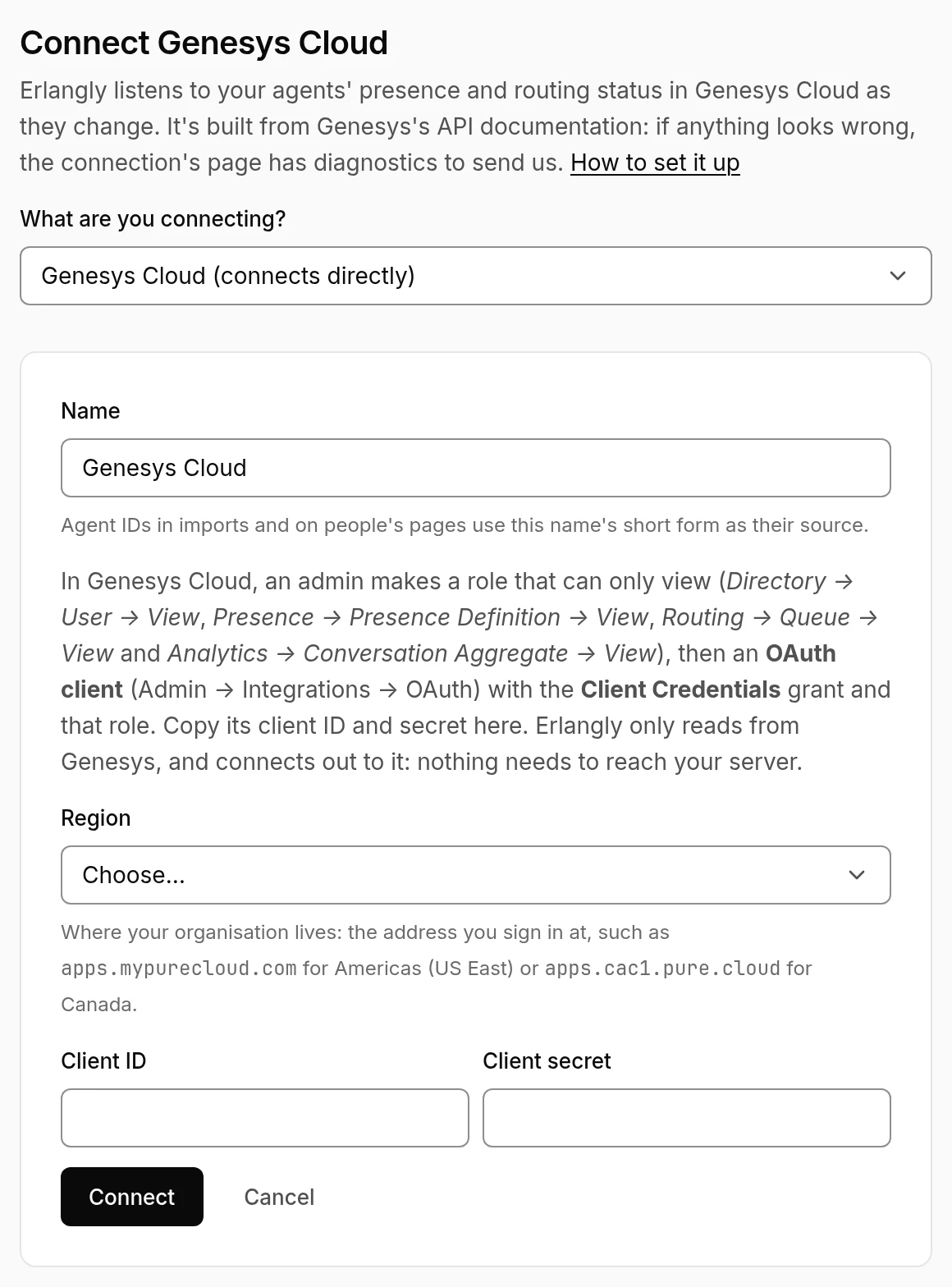
- Settings → Connections → Add a connection → Genesys Cloud. Choose your region: it's in the address you sign in at (
apps.mypurecloud.comis Americas (US East),apps.cac1.pure.cloudis Canada,apps.mypurecloud.ieis EMEA (Dublin)…). Paste the client ID and secret. Erlangly checks them with Genesys before saving. - State codes: each combination of routing status and presence comes mapped: on queue and idle → Available, interacting → On a call, not responding → Aux, and off queue by presence (Break, Meal → Lunch, Meeting, Training, Offline). Your own presences come as reasons. Check them, and change any that mean something else on your floor. After-call work counts as On a call for now.
- Agents link by email the first time: someone active in Erlangly with the same email as in Genesys. Anyone else shows up under the connection to link by hand.
- Queues: a Genesys queue that takes calls and chats is listed once for each, so each can feed its own line of business. Erlangly reads their last 13 weeks straight away, then every 15 minutes.
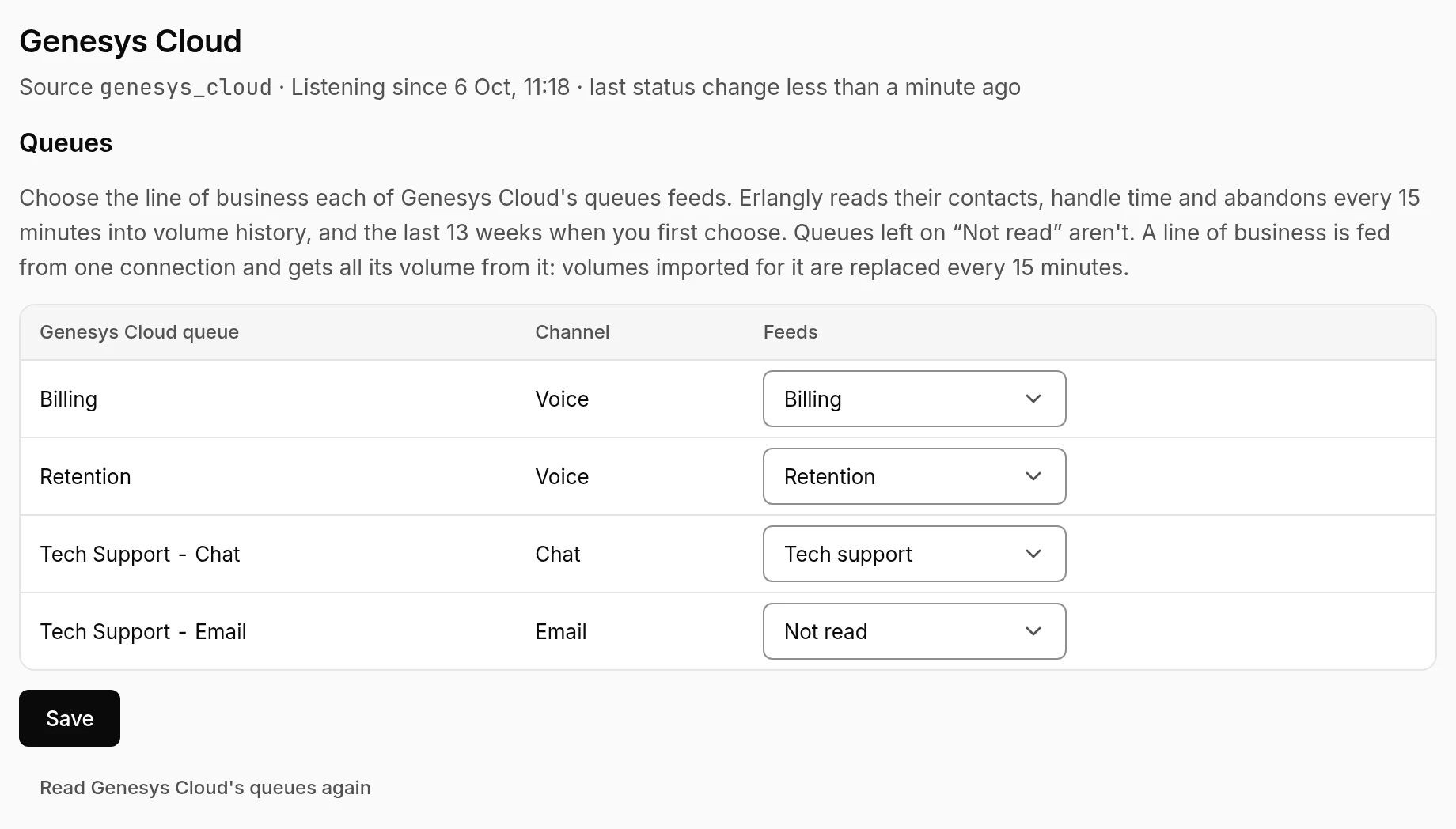
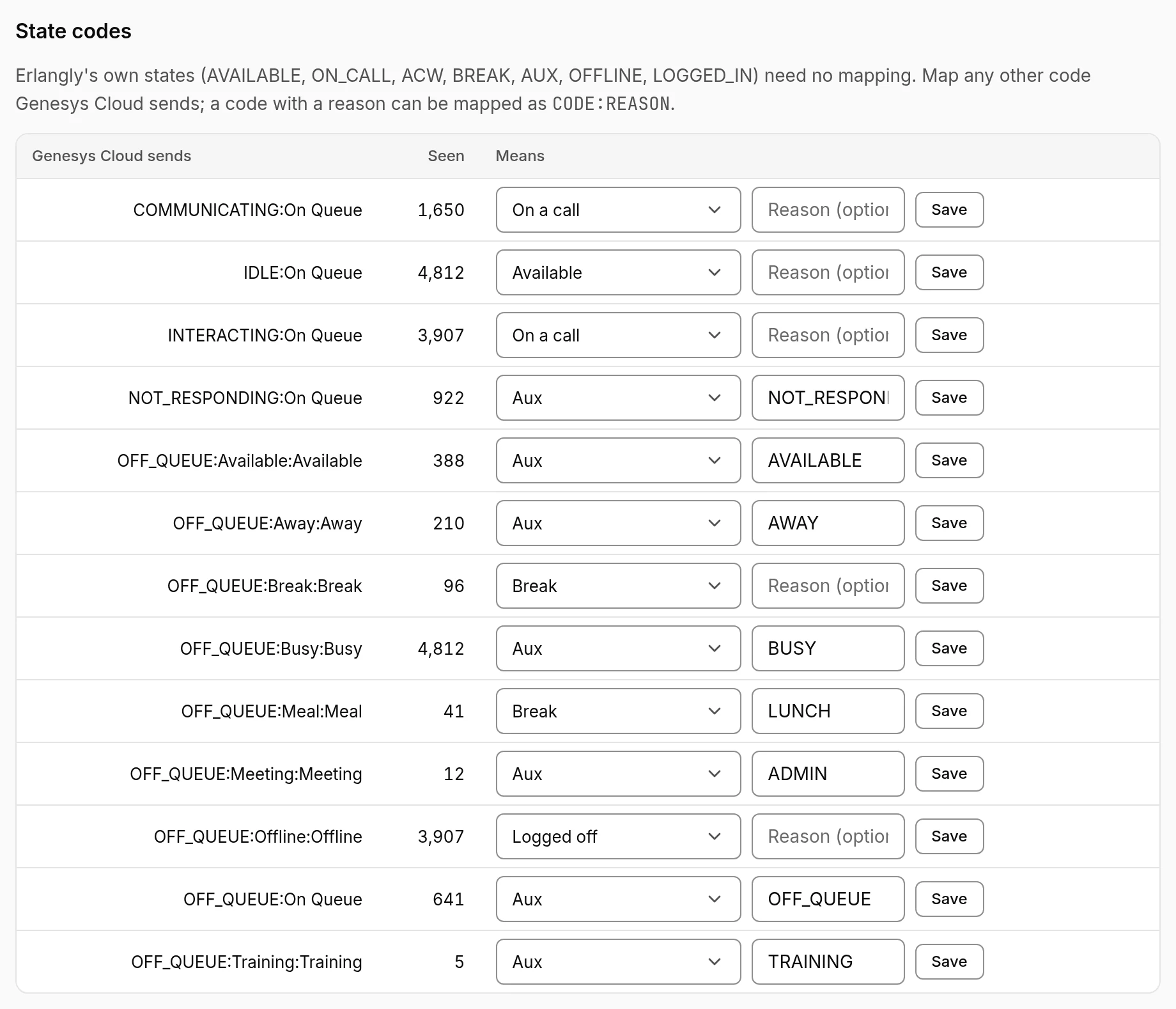
The connection's page shows whether Erlangly is listening, when the last status change came, and what Genesys sent (emails and names masked, presence messages left out). If Genesys refuses the connection or turns down agents' status, it says why (a missing permission, by name), and keeps trying.