Connecting Amazon Connect
Erlangly connects to Amazon Connect itself: it checks your agents' states every few seconds (for adherence and the wallboard) and reads your queues' volumes every 15 minutes (for forecasting), with the last 13 weeks when you first connect. It only reads, and it connects out to AWS, so nothing on your network has to be reachable from the internet. If anything looks wrong, the connection's page has a diagnostics file to send us.

1. In AWS: an IAM user with a read-only policy
- An AWS admin opens IAM → Policies → Create policy, switches to JSON, and pastes the policy shown on Erlangly's Connect Amazon Connect page, with your instance's ARN in place of the example. It allows reading your Connect instance's agents, statuses, routing profiles, queues and figures, and nothing else. IAM's review may warn that some of the policy's actions have no applicable resource: create it anyway, as Erlangly's reads work with it.
- IAM → Users → Create user: name it Erlangly, no console access, and attach that policy.
- Open the user → Security credentials → Create access key (for an application running outside AWS). Copy the access key ID and secret access key: the secret is shown only once.
2. In Erlangly: connect
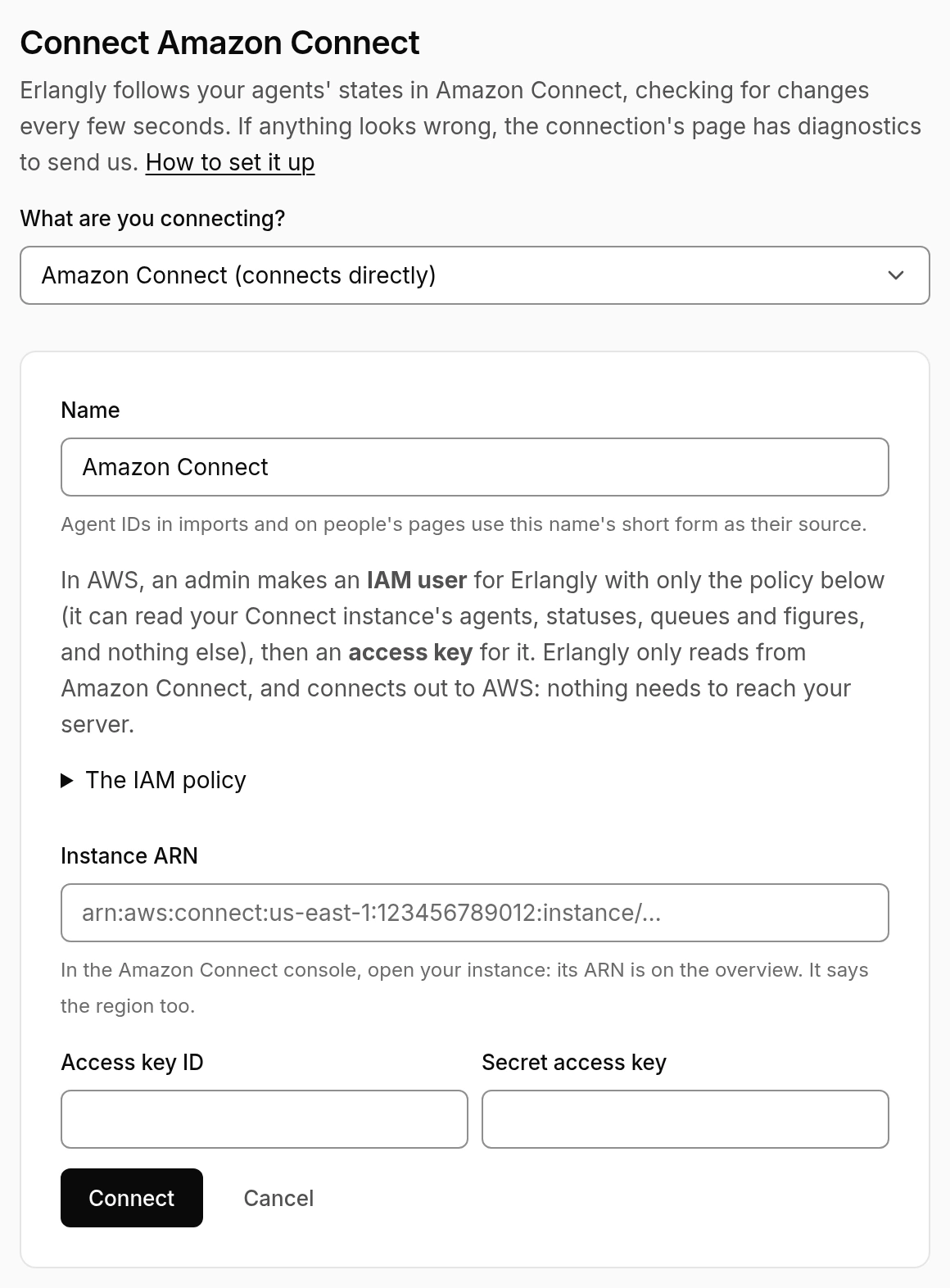
- Settings → Connections → Add a connection → Amazon Connect. Paste your instance's ARN (in the Amazon Connect console, on the instance's overview: it names the region too) and the access key's ID and secret. Erlangly checks them with AWS before saving.
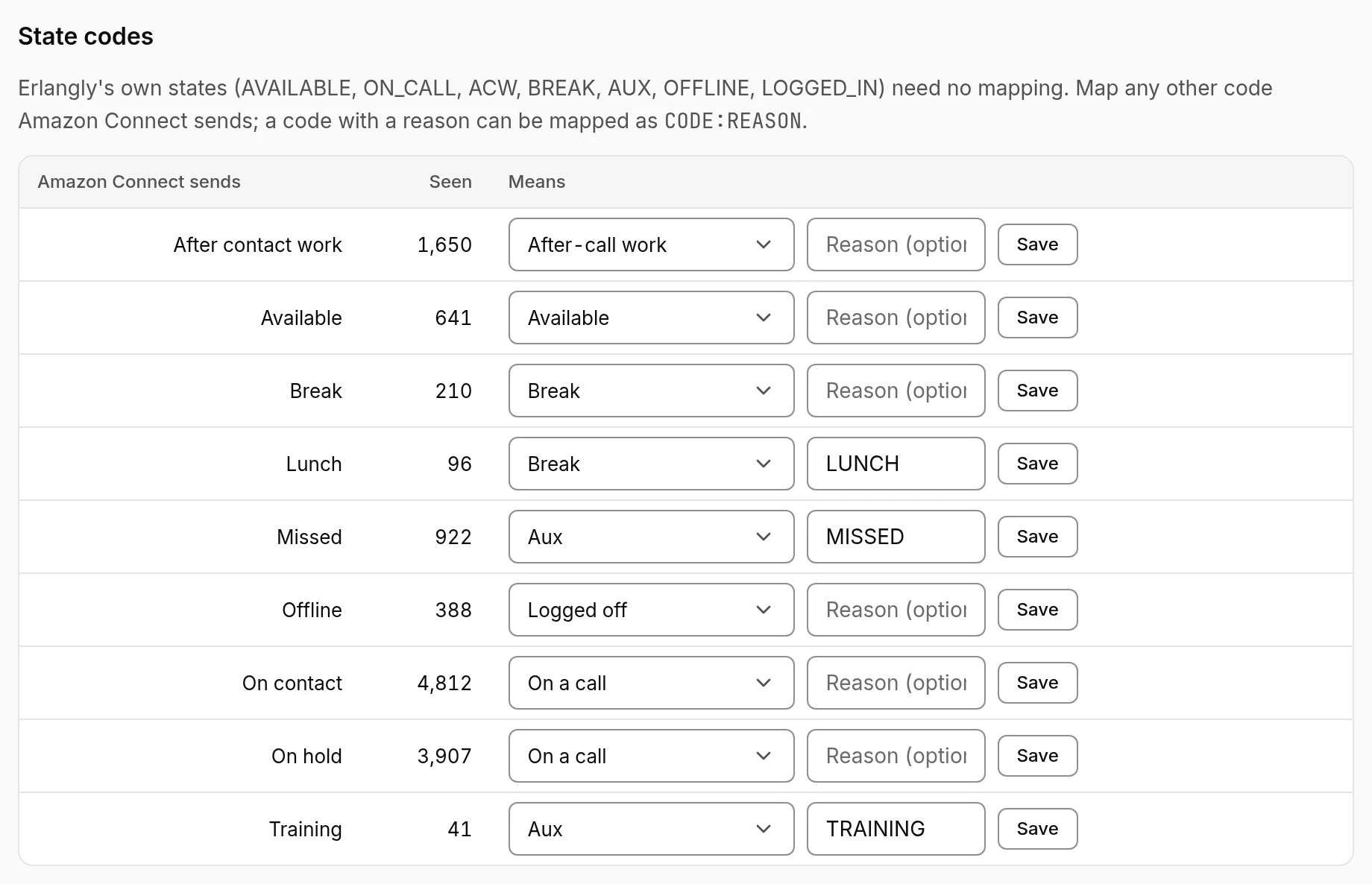
- State codes: an agent on a contact is in that contact's state (on contact, on hold, after contact work, missed); otherwise in their own status. They come mapped: contacts → On a call, after contact work → After-call work, Offline → Offline, and your own statuses by name (Lunch → Lunch, Break → Break, Training → Aux…). Check them, and change any that mean something else on your floor.
- Agents link by email the first time: their Connect username when it's an email address, or the email on their Connect user. Anyone else shows up on New on your ACD to match by hand.
- Queues: a queue that takes calls and chats is listed once for each, so each can feed its own line of business. A queue with no contacts in the last 4 weeks, as on a new instance, is listed once, with No traffic yet: you can choose its line of business now, and the channels its first contacts come on will feed that line of business, with nothing more to choose. If it starts taking another channel later, that channel is listed on its own when you read the queues again. A queue that goes quiet keeps the lines of business it feeds.
- Volumes: once a queue feeds a line of business, Erlangly reads its last 13 weeks right away (as much as AWS keeps), then every 15 minutes. In the same request it asks Connect for contacts answered within your line of business's own target time, and abandoned within your target's short abandons where it counts them, so Intraday shows service level against your target. Connect counts within 7 days (604,800 seconds) at most, so a line of business with a longer target, such as 14 days for email, gets its volumes but no service level: Intraday shows a dash for it.
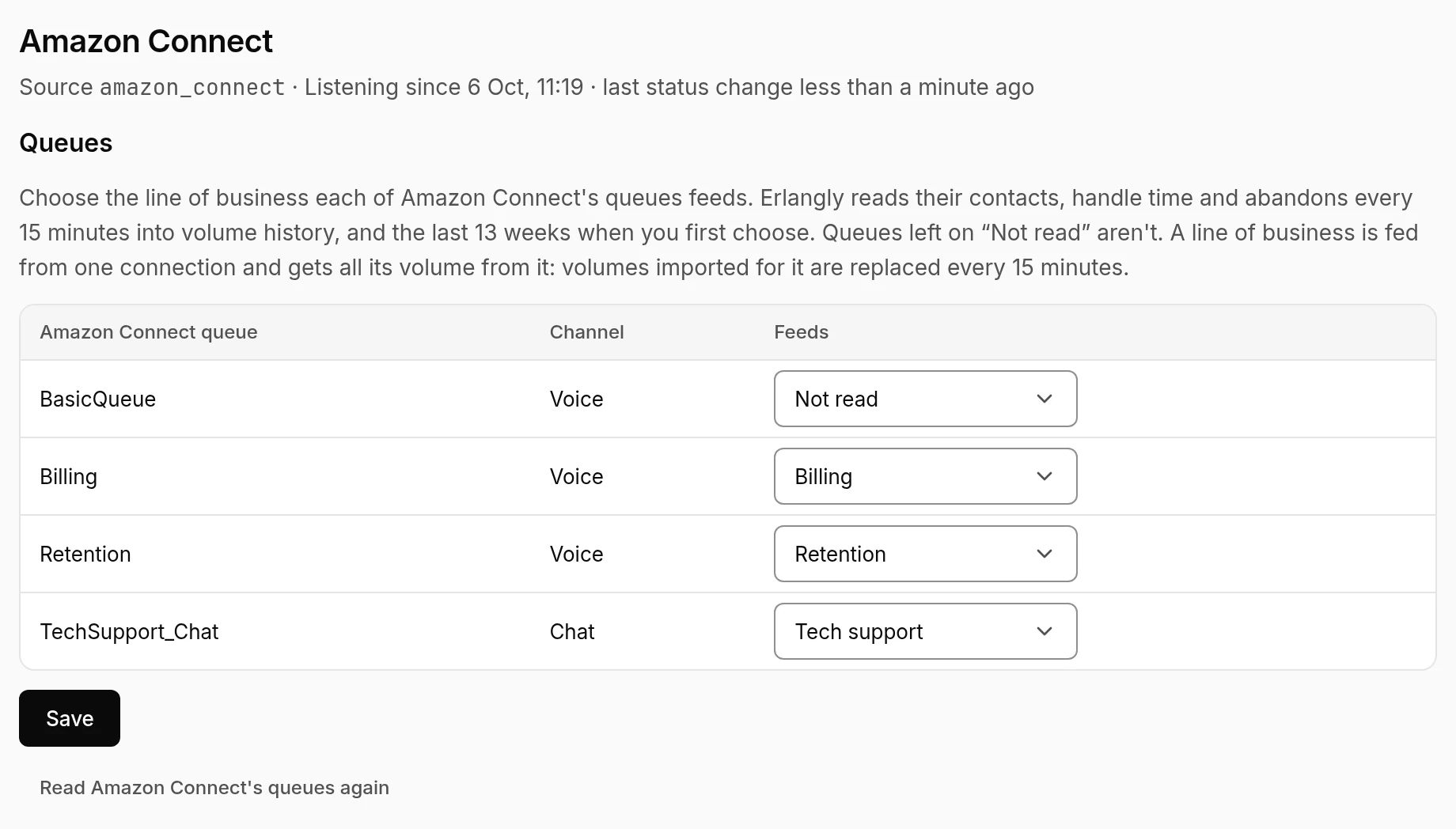
Erlangly asks AWS at most once a second, half of what AWS allows by default, so your own dashboards and tools keep their share; on a big floor, states are checked a little less often. The connection's page shows whether Erlangly is following Connect, when the last state change came, and what Connect sent (names masked). If AWS refuses the key, the policy or the instance, it says which, and keeps trying.