Connecting Twilio Flex
Erlangly connects to Twilio Flex itself. It reads TaskRouter's event log every 5 seconds, for adherence and the wallboard, and counts your queues' volumes every 15 minutes, for forecasting, with the last 30 days when you first choose a queue's line of business: that's all Twilio keeps. It only reads, and it connects out to Twilio, so nothing on your network has to be reachable from the internet. If anything looks wrong, the connection's page has a diagnostics file to send us.

Twilio lists a change in its event log about 15 seconds after it happens, so the wallboard follows Flex about 15–20 seconds behind. Adherence uses the time each change happened.
1. In Twilio: a restricted API key
- In the Twilio Console, switch to your Flex account. Flex makes an account of its own: its Account SID, starting
AC, is on its Console home page. - Admin → Account management → Keys & Credentials → API keys & tokens → Create API key, in the region United States (US1), named Erlangly, of the type Restricted.
- Under TaskRouter, tick only these read permissions: workspaces (list, read), activities (list), workers (list, read), tasks (list), tasks' reservations (list), task queues (list) and events (list). The key can then read your agents, activities, tasks, queues and TaskRouter's events, and nothing else: no calls, messages or recordings.
- Copy the key's SID, starting
SK, and its secret. The secret is shown only once.
2. In Erlangly: connect
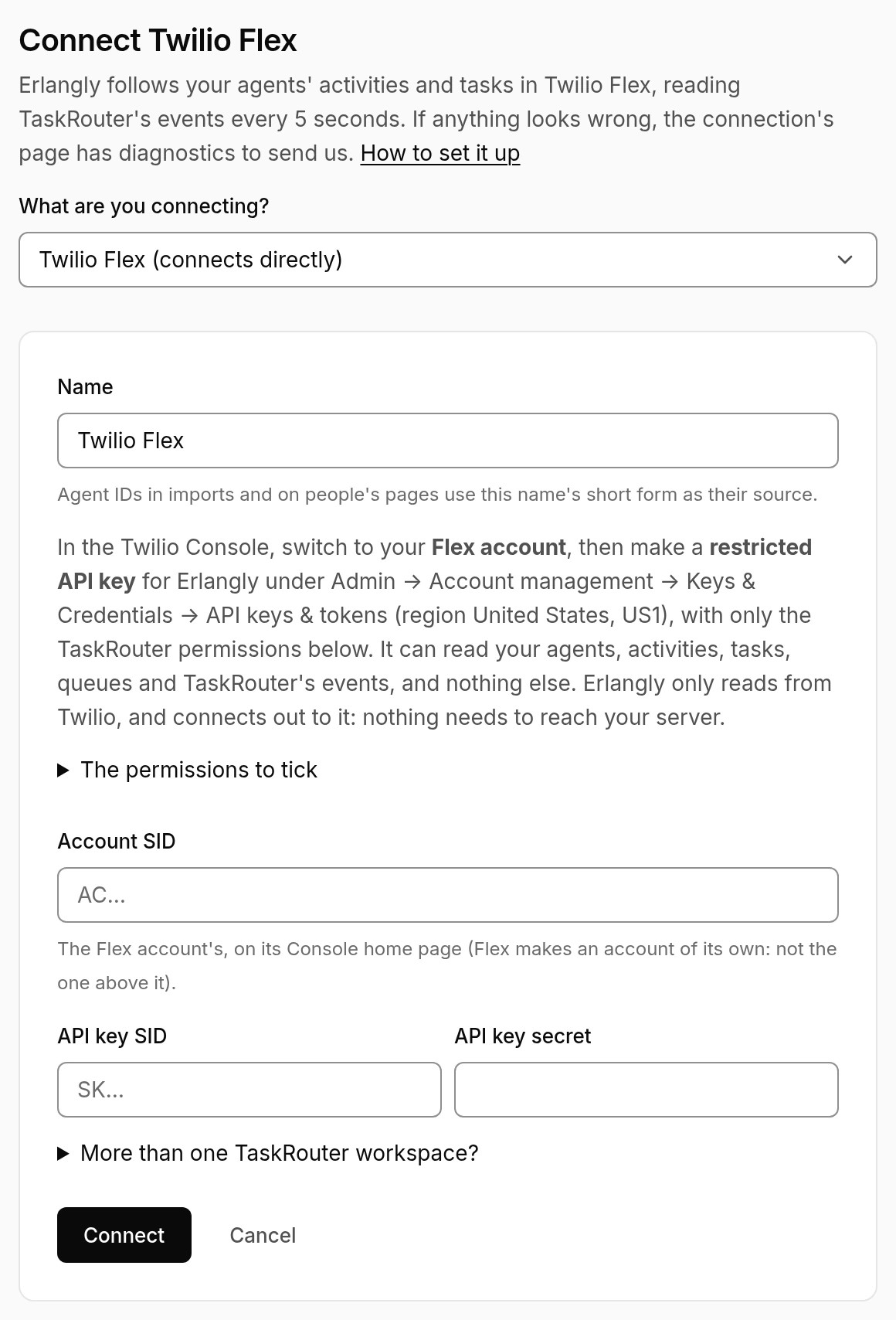
- Settings → Connections → Add a connection → Twilio Flex. Paste the Account SID, the key's SID and its secret, each in its own box. Erlangly finds Flex's workspace by itself, and checks the key can read what it needs before saving.
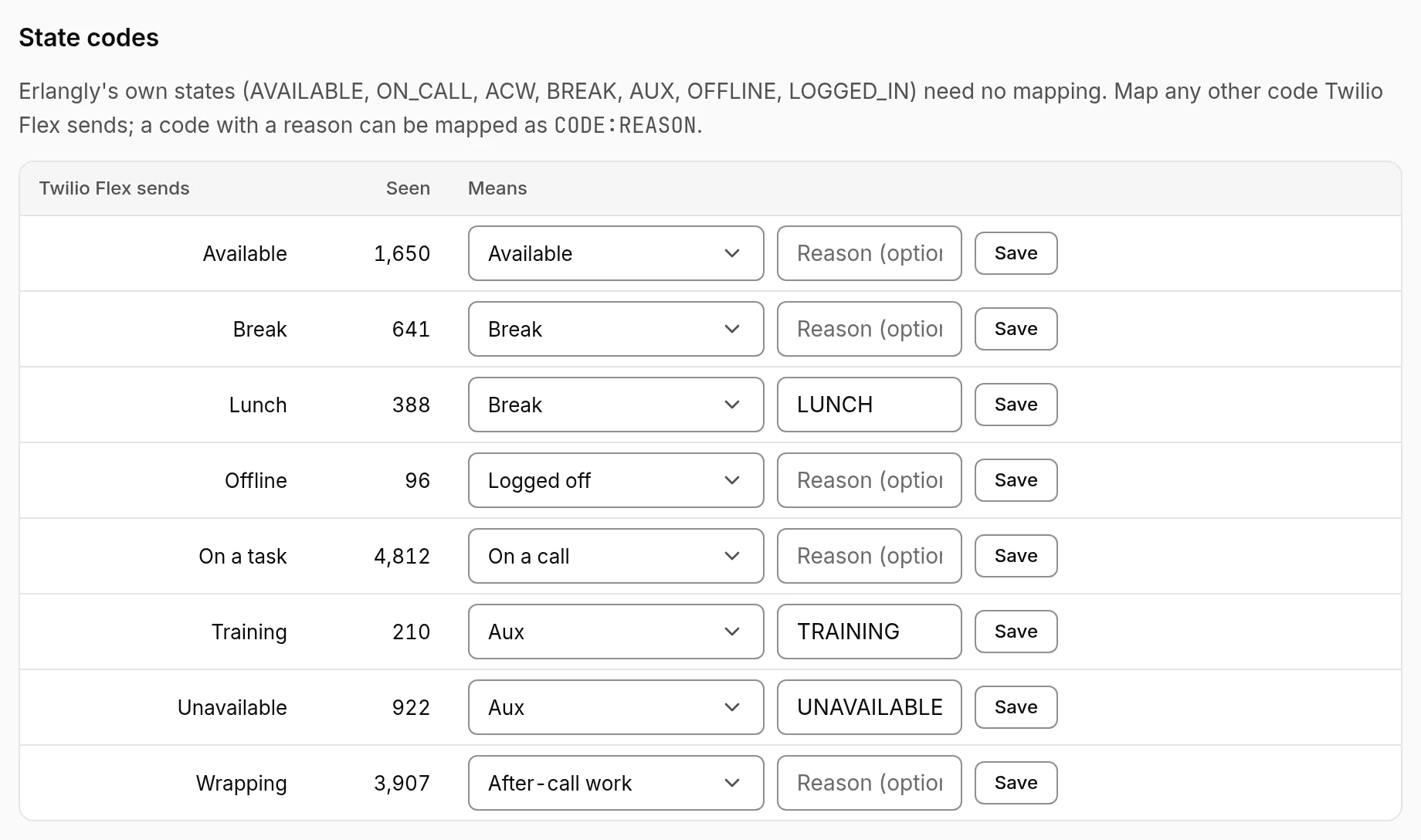
- State codes: an agent holding a task is On a task (On a call) or Wrapping (After-call work). Otherwise they're in their Flex activity: Available → Available, Break → Break, Offline → Logged off, Unavailable → Aux, and your own activities by name. Someone who goes Offline shows Logged off, even with a task left wrapping. Check them, and change any that mean something else on your floor.
- Agents link by email the first time, from the email Flex keeps for each agent. Anyone else shows up on New on your ACD to match by hand.
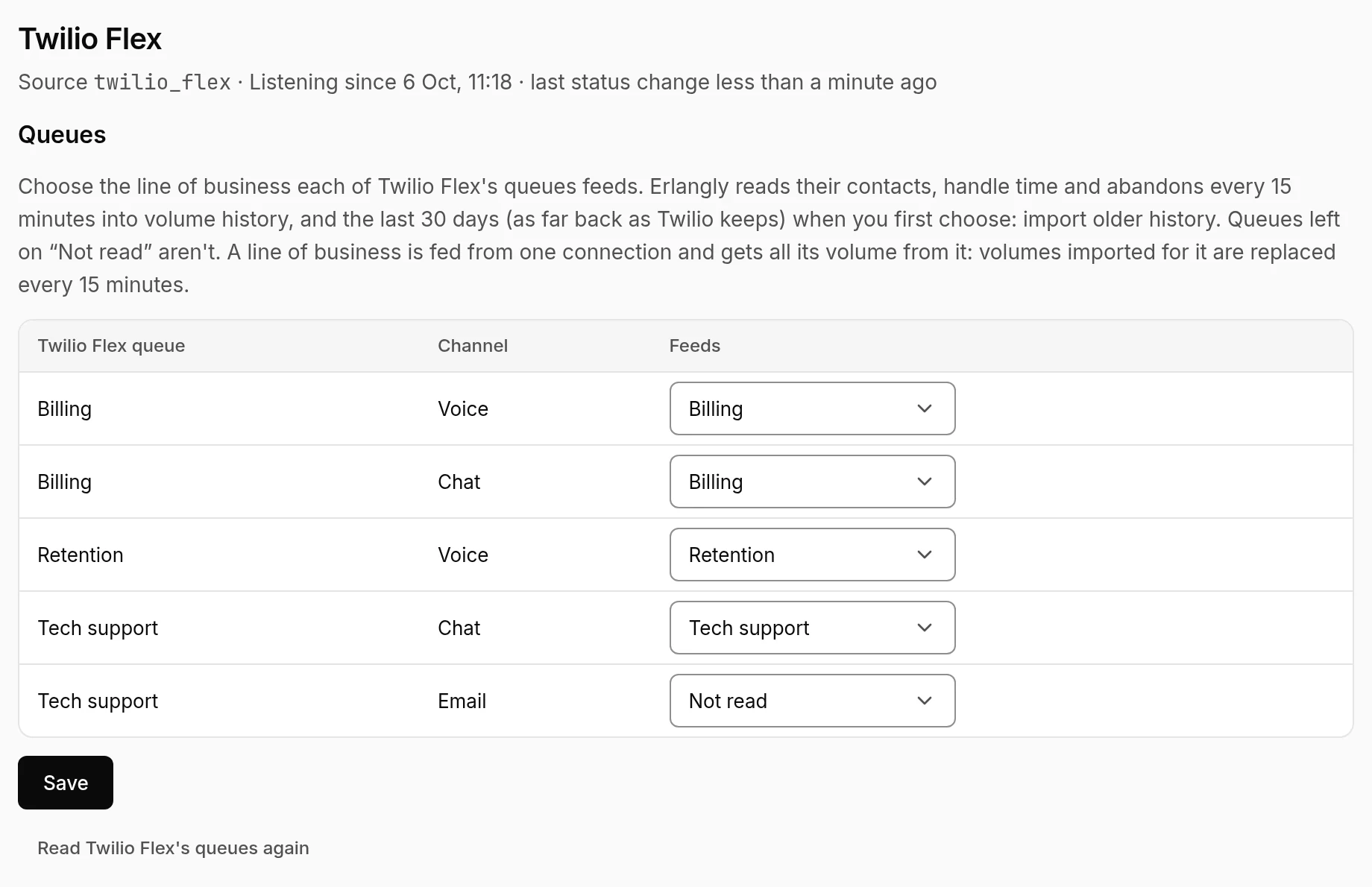
- Queues: each TaskRouter queue is listed once for each channel it carried (calls, chats and texts, email, other work shown as Ticket), so each can feed its own line of business. A queue with no contacts in the last 4 weeks, as on a new workspace, is listed once, with No traffic yet: you can choose its line of business now, and the channels its first contacts come on will feed that line of business, with nothing more to choose. If it starts taking another channel later, that channel is listed on its own when you read the queues again. A queue that goes quiet keeps the lines of business it feeds.
- To keep connecting quick, Erlangly looks at only about 10,000 recent tasks entering your queues, and the connection's page says when it stopped there. On a workspace that busy, a queue can show No traffic yet though it has had some, and a channel a queue has started taking may not be listed until its tasks are among those Erlangly looked at. Choose a line of business for a queue with No traffic yet all the same: Erlangly then reads its last 30 days, and the channels of its most recent contacts feed that line of business.
- Volumes: Erlangly counts each task when it first enters a queue: offered, handled, handle time (talk, hold and wrap-up) and abandons. A transferred task counts once, and outbound calls aren't counted.
- It also times how long each waited, from entering the queue to an agent accepting it, so Intraday shows service level against your line of business's own target, and short abandons where your target counts them.
- The last 30 days are read right away; import anything older with the volume import.
The connection's page shows whether Erlangly is following Flex, when the last change came, and what Twilio sent (names, emails and callers' details masked). If Twilio refuses the key or a permission, it says which, and keeps trying. After a restart or an outage, Erlangly reads back the events it missed, so adherence has no gap. A connection switched off and on again, or given another key or account, starts afresh instead.