Supervising with Erlangly
As a supervisor, you look after the floor as it happens. You watch who's where, decide your agents' requests, and record what happened when the day doesn't go to plan. Planners make the schedule; you help it hold. This page is your day; each part links to its own guide.
Guides for supervisors
- The wallboard: the floor right now, with alarms, filters, saved views and a TV mode.
- Schedule adherence: how adherence is scored from your ACD's agent states, how exceptions count, and the adherence report.
- Time off: deciding requests, adding time off, and how it shows on the schedule.
- Shift swaps: agents trading shifts, approved with a labour-law check.
Through the day
The wallboard shows the floor right now: who's in which state, who's out of adherence, and for how long. Choose your team, and save the choices you use often as a named view. A tile raises an alarm when someone's been in a state too long. See The wallboard.
When someone is out of adherence for a reason, record an exception from their tile, so their adherence is fair.
Requests
Requests has three tabs, each counting what's waiting for you. Erlangly doesn't email supervisors about new requests, so check them through the day.
- Time off: approve or decline, add time off for someone, or change dates. See Time off.
- Swaps: two agents have agreed to trade shifts; approve or decline, with a labour-law check for both. See Shift swaps.
- Exceptions: what agents did instead of their schedule, as they told you from My schedule: sick, late, absent, an unplanned meeting, overtime or voluntary time off.
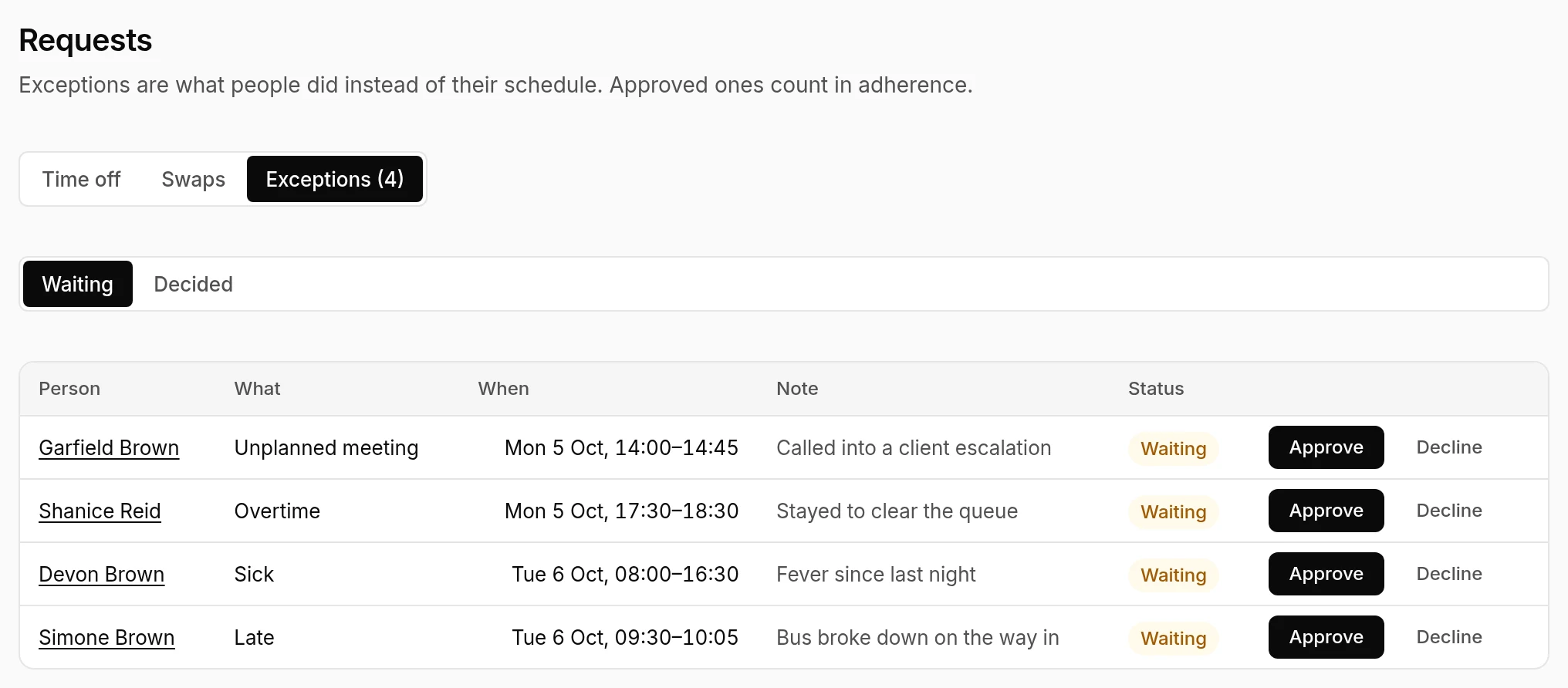
Approve an exception and it replaces the schedule for its time: someone off sick isn't out of adherence for being logged off. Decline it and the schedule stands. Record an exception adds one for any agent, and it counts at once. See Schedule adherence.
You never decide your own requests: another supervisor does.
Over the week
- The adherence report: adherence over the days you choose, by person, team or line of business, lowest first, so you see who needs a word. See Schedule adherence.
- The schedule: what's published, and how many people with a login have seen it. Planners change shifts; tell them what needs changing.
- People: each person's lines of business, contract hours, availability and time off. See People and teams.
Agents use their phones for their side of all this: point them to Erlangly for agents.