The wallboard
Wallboard shows the floor right now: everyone who's scheduled now or logged in, their state, how long they've been in it, and whether it's what their schedule asks for. It's built for a screen on the floor as much as a supervisor's desk.
What it needs
- Agent states from your ACD, as they change: a connected ACD sends them a few seconds after they happen (Twilio Flex, 15 to 20 seconds).
- A published schedule, to say what each agent should be doing. See Scheduling.
What it shows
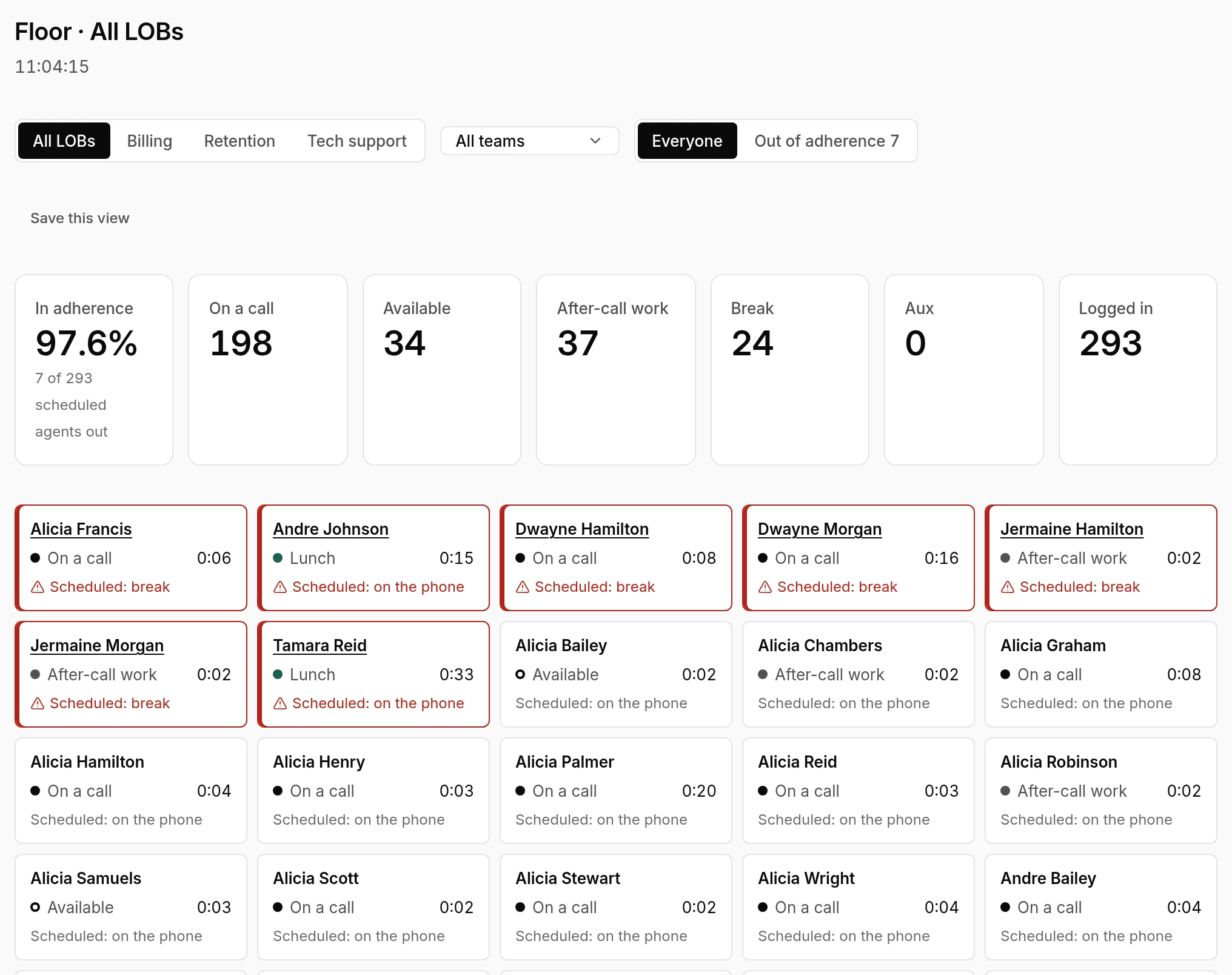
- The figures across the top: how many are in adherence, how many are in each state, and how many are logged in.
- Each tile: an agent's state and time in it, and what their schedule asks for. A tile that's out of adherence stands out.
- Alarms: a tile raises an alarm when someone has been too long in one state. That's 3 minutes of after-call work, 15 minutes of break, or an hour of lunch. Change the times under Settings → Wallboard.
- Choose what it shows: one line of business or all, a team, and everyone or only those out of adherence.
- Saved views: supervisors can save a set of choices under a name, like Retention TV, for everyone to use.
- TV mode shows just the board, for a screen on the floor.
- It opens dark, which reads better on a TV across the room. The theme buttons at the bottom of the sidebar switch it to light, as above.
- It refreshes every second, or every 5 seconds when more than 200 agents are logged in.
Adherence over time
The wallboard is now. For adherence over days or weeks, by person, team or line of business, see the adherence report, and for how it's scored, Schedule adherence.