People and teams
People are who you schedule: agents, and anyone else who takes contacts. Each has their lines of business, contract hours, availability and IDs in other systems. Users are who signs in. An agent is usually both: a person on the roster, invited to sign in and see their own schedule.
Planners add and change people. Supervisors see them, without changing them.
Adding people
- One at a time: People → Add a person.
- Many at once: People → Import from a spreadsheet, with a preview before anything changes. See Importing data.
Each person has a name, an employee number, a site, a team, an employment type (full time, part time or temporary), a hire date and a time zone. They also have whose labour rules apply, if not their site's. Each active agent takes one seat on your licence.
Search People by name or employee number, or narrow it to a line of business, a team, or active or inactive people.
A person's page
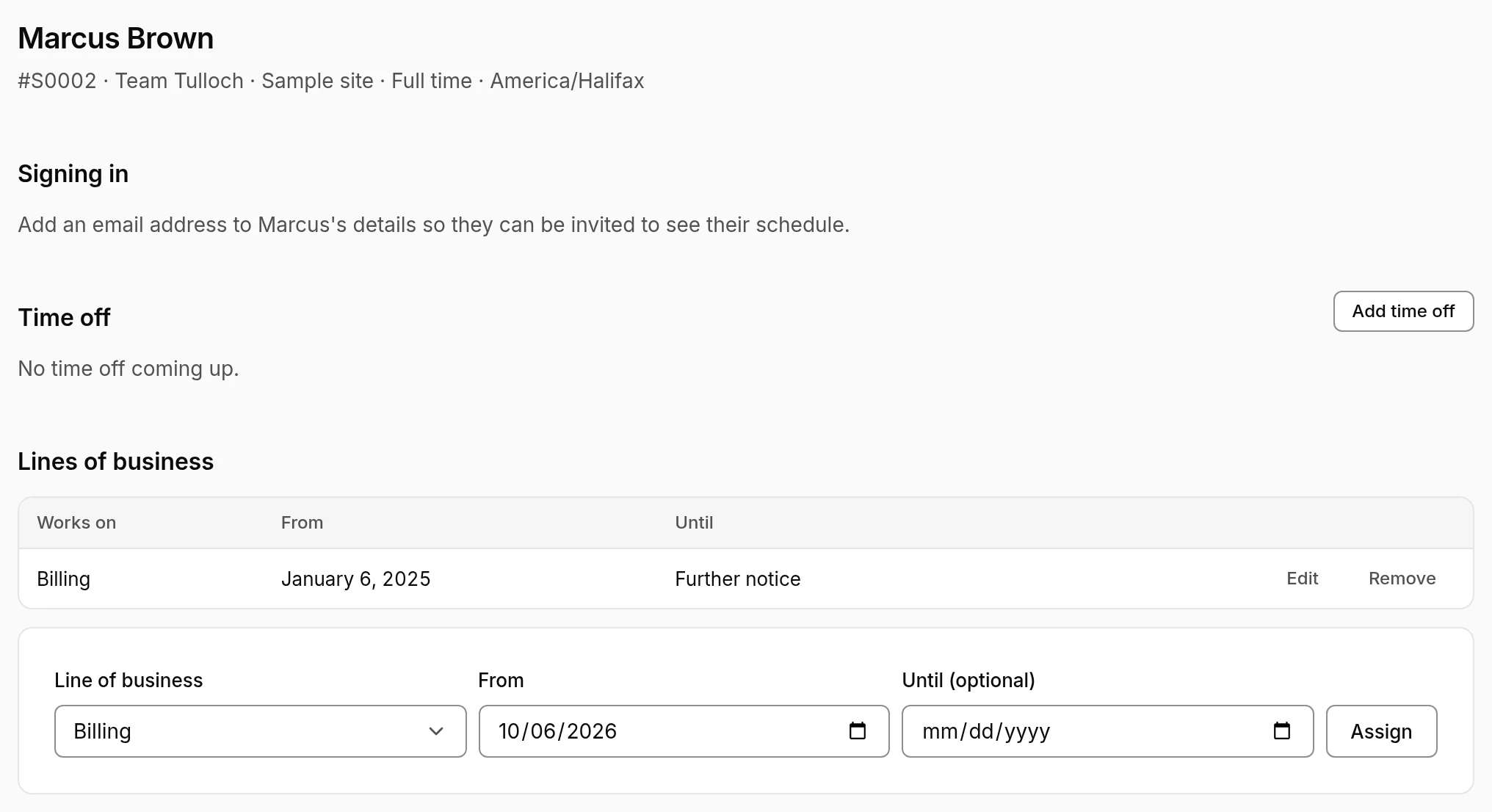
- Lines of business they work on, each from a date and until further notice or a date. Schedules only give someone shifts on their lines of business, so a move to another line of business starts on the day you choose.
- Contract hours: their minimum and maximum hours a week, maximum hours a day, and days a week, from a date. Blank figures use their employment type's defaults. See Scheduling.
- Availability: Only then is a hard limit, and nobody is scheduled outside it. Prefers is a preference. With none, they're available any time their contract allows.
- ACD and system IDs: how other systems name them, like their agent ID in your ACD, so their states reach adherence. Add them here or in the people import. IDs nobody is linked to show up under the ACD's connection, where an admin says who each one is.
- Time off coming up, and Add time off for them. See Time off.
- Signing in: whether they can. An admin invites them from here once they have an email address.
Changes on the People page lists who changes what and from when: lines of business, contract hours, joining and leaving, by import or by hand. Changes still to come can be cancelled there.
Leavers
Record a leaver on their page:
- Effective date: their first day not working. Their licence seat is free from then.
- Keep their schedule until: their shifts from the effective date to that day stay, under an unpaid Attrition layer, so attrition shows in shrinkage and trends. Leave it empty for the end of that week.
After that, they come out of the schedule.
If they're not leaving after all, choose They're not leaving after all.
Teams
Teams group people under a team lead, someone who signs in, usually a supervisor. Planners set them up under Settings → Teams, each with its lead and site.
Supervisors then follow their team on the wallboard, and see adherence by team in the adherence report.
Signing in
Who can sign in, and what each role can do, is up to your admins: see Users and roles.