Time off
Agents ask for time off from their phones, and supervisors approve or decline it. Approved time off shows on the schedule, counts against coverage, is worked around when drafts are generated, and counts in adherence.
This page is for supervisors and planners. For agents, see Asking for time off.
Erlangly keeps no balances or accruals: those stay in your HR or payroll system.
Asking for time off
An agent opens Time off, beside My schedule, and chooses Ask for time off:
- Kind: vacation, a personal day, sick leave, bereavement, unpaid leave, a leave of absence or parental leave.
- From and To, the last day off. For only part of a day, a time from and until.
- A note, if they like.
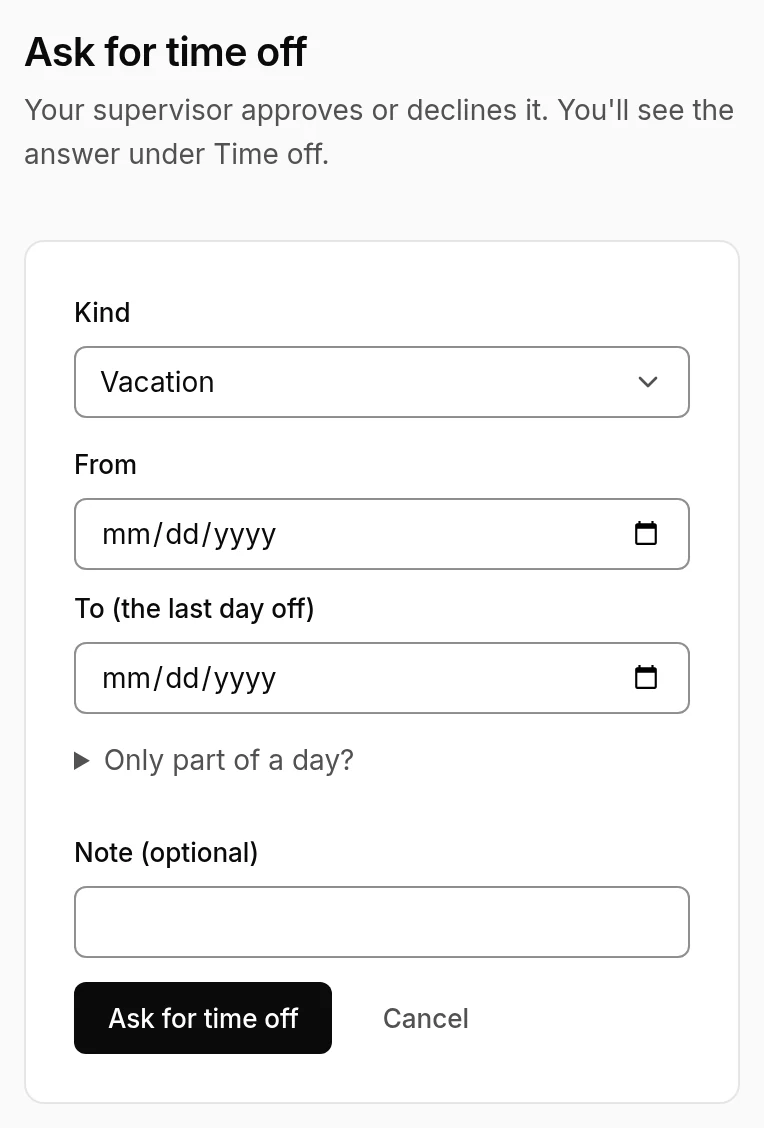
They see the answer under Time off, and with email set up, they're told. They can cancel a request that's still waiting, or approved time off that hasn't started.
Deciding
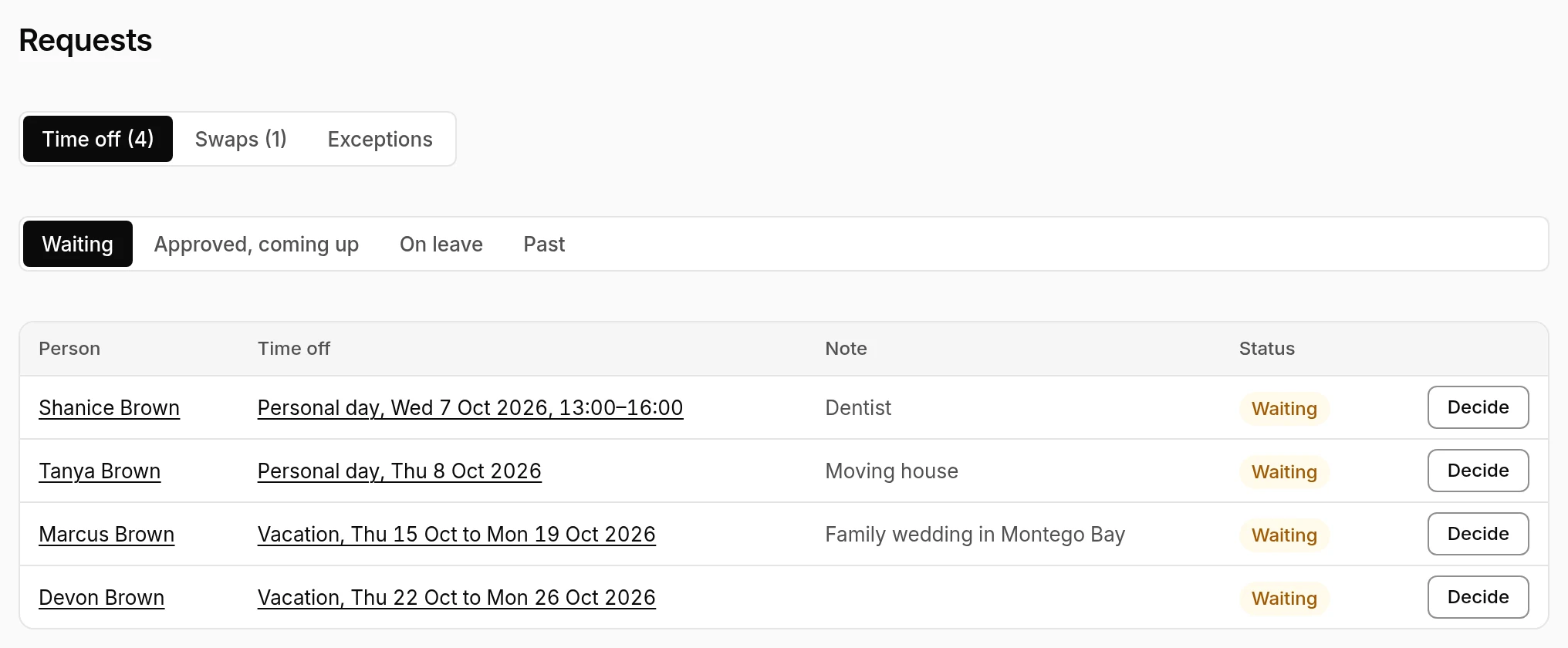
Requests → Time off lists what's Waiting, what's approved and coming up, who's on leave, and the past.
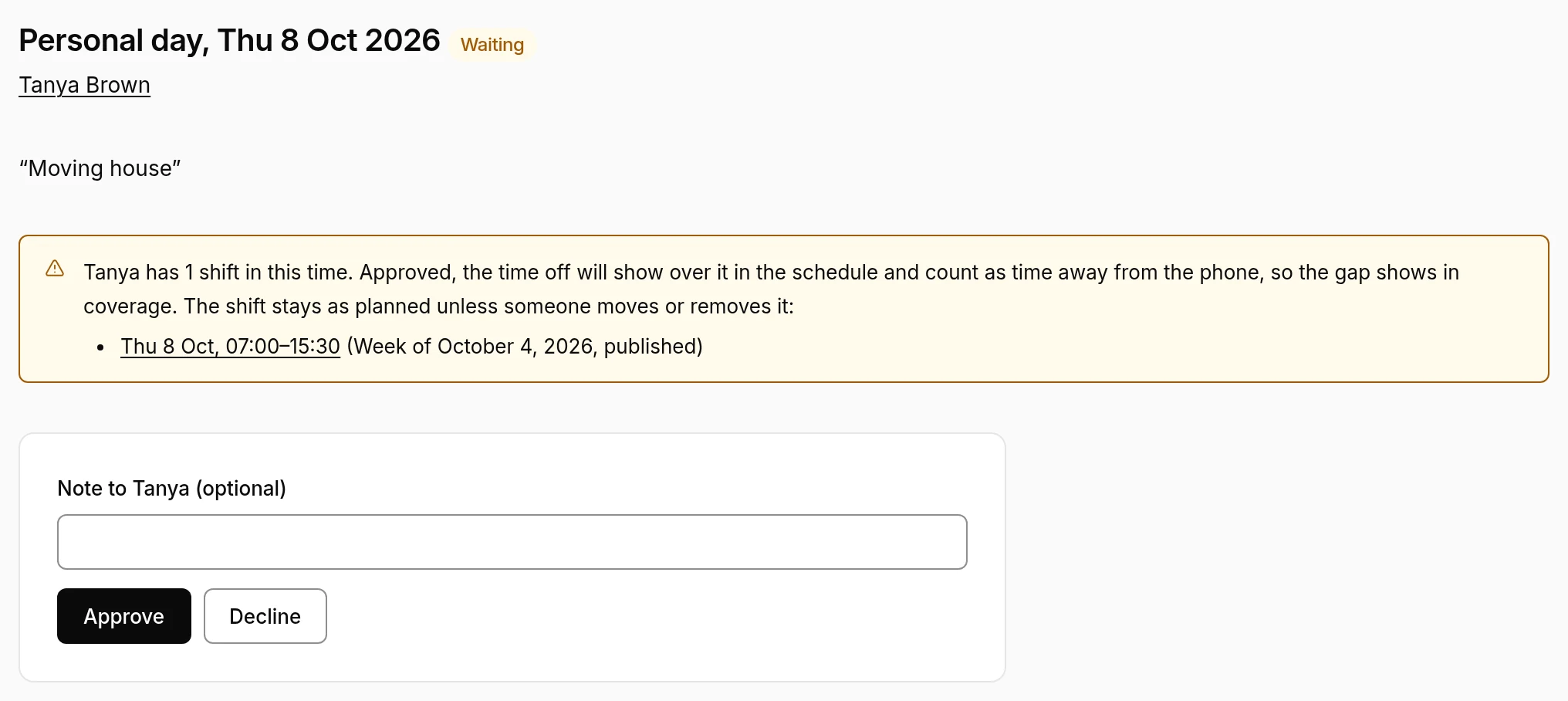
Open a request to Approve or Decline it, with a note for the person if you like. If they have shifts in that time, it says so first.
- Supervisors decide other people's requests, never their own: another supervisor approves those.
- Supervisors can add time off for someone, on their page. It's approved at once, unless it's their own.
- Change dates moves a request, waiting or approved.
- Many at once: import time off from a spreadsheet, or decide requests from the server with
erlangly timeoff(see API and command line).
On the schedule
- Approved time off lies over the shifts it lands on. The shift stays until someone moves or removes it, and the time off counts as away from the phone, so the gap shows in coverage. A draft's Time off during shifts section lists them.
- New drafts work around it. A day wholly off still gets the shift that day would have had, under the time off, so the week keeps the person's contract days and their days off stay days off. See Scheduling.
- In adherence, time off expects the person logged off: see Schedule adherence.
Long leave
Time off of two weeks or more, like parental leave or a long illness, shows under On leave. It notes who's due back soon, and anyone showing working in the ACD while still away: back early, perhaps, or still logging in.
Swapping a shift with a colleague is a different request: see Shift swaps.