Shift swaps
Two agents can trade shifts. One asks, the other accepts, and a supervisor approves, which checks labour law for both before the shifts change hands.
This page is for supervisors and planners. For agents, see Swapping a shift.
Asking for a swap
On My schedule, an agent chooses Swap on a shift that's still to come. Erlangly lists the colleagues' shifts they could take instead:
- Published shifts for the same client, within 3 days either side.
- On lines of business they both work.
- At times they're both free.
They pick one, add a note if they like, and choose Ask to swap.
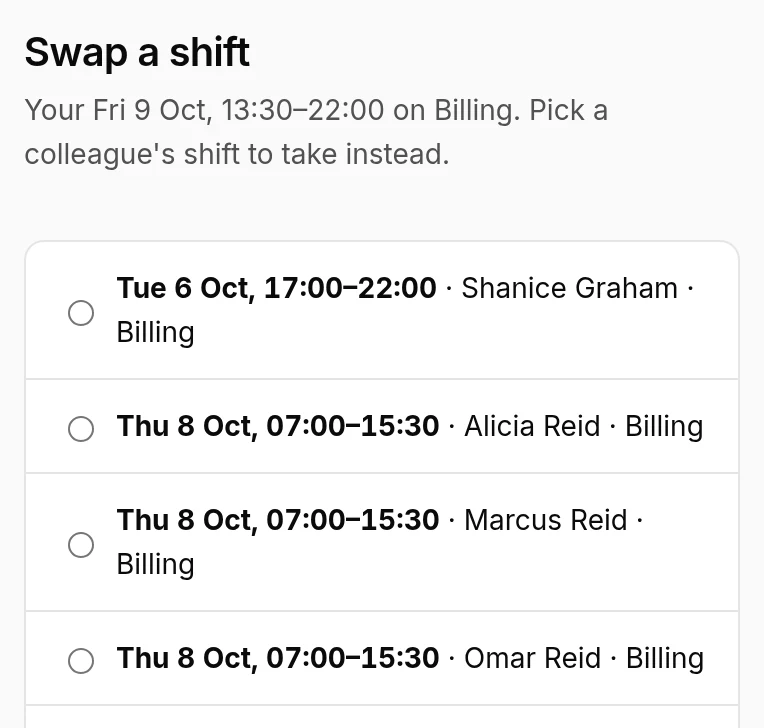
If nobody fits, it says so, and suggests asking their supervisor instead.
Accepting
The colleague sees it under Swaps (and with email set up, they're told), and chooses Accept or No thanks. Whoever asked can cancel it until it's decided.
Approving
Once accepted, the swap waits under Requests → Swaps for a supervisor. It shows each shift, who has it now and who would have it after.
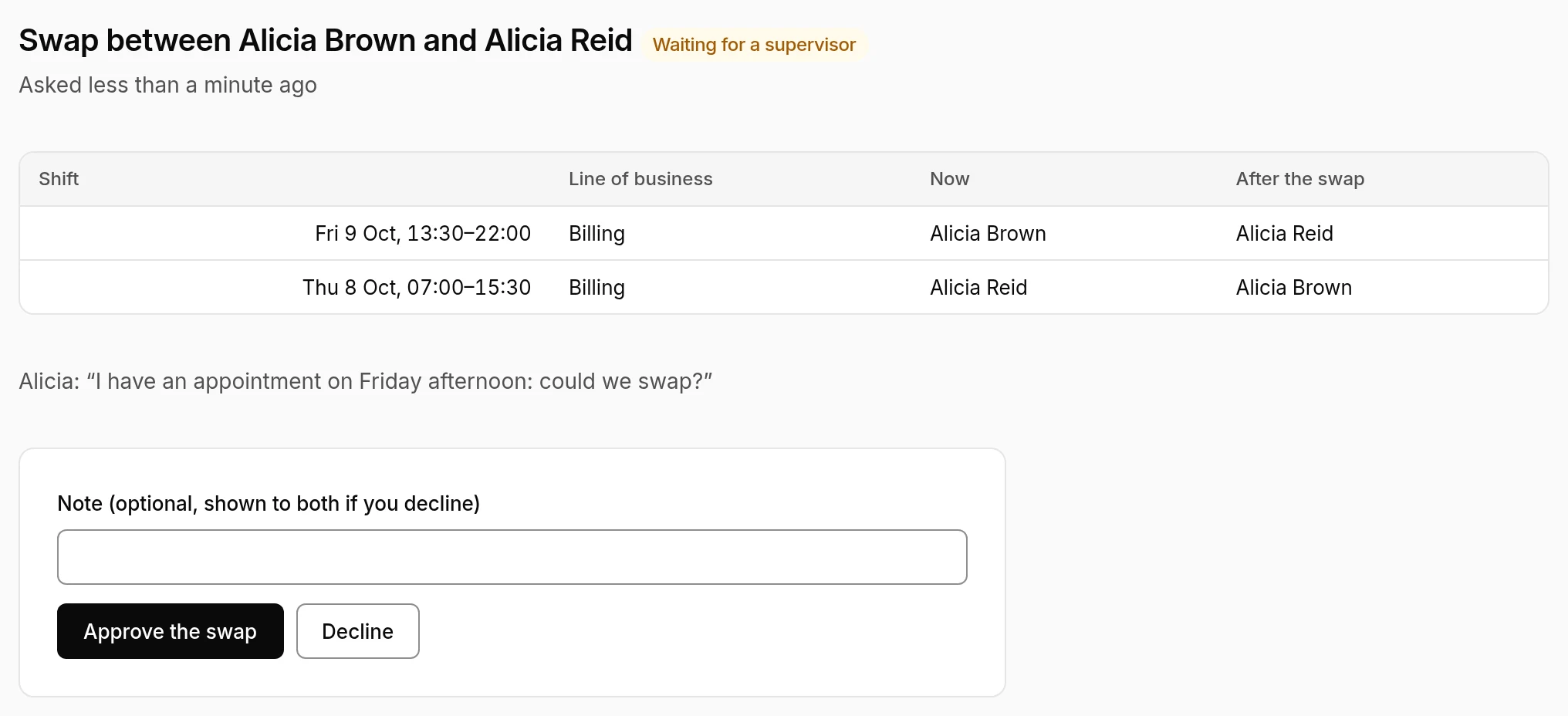
- Approving checks labour law for both people. A swap that breaks a rule set as a violation isn't made, and says why. One that breaks a warning shows it, with Approve anyway.
- Decline, with a note shown to both.
- Supervisors decide other people's swaps, never one they're part of.
What changes
- Each shift goes to the other person, with its breaks. Other activities on it, like training, are removed.
- Both are asked to look at their schedule again, and with email set up, both are told the decision.
- A swap can't put a shift on someone's approved time off. See Time off.
A swap nobody finished expires when the earlier of the two shifts starts.