Planning with Erlangly
As a planner, you set Erlangly up and keep the schedule ahead of the floor. You make the forecasts, turn them into schedules, publish them to agents, and keep them right as things change. This page is the whole cycle; each step links to its own guide.
Guides for planners
- Forecasting and staffing: forecasting contacts and handle time from your history, and working out the agents you need.
- Scheduling: shift patterns, generating drafts, changing shifts within labour law, and publishing to agents.
- People and teams: adding and importing people, their contracts and availability, leavers, teams and roles.
- Several clients: for outsourcers: each client's lines of business and schedules, on one install.
Set up once
The Schedule page's Before your first schedule list shows what's left, and ticks each step off as you go.
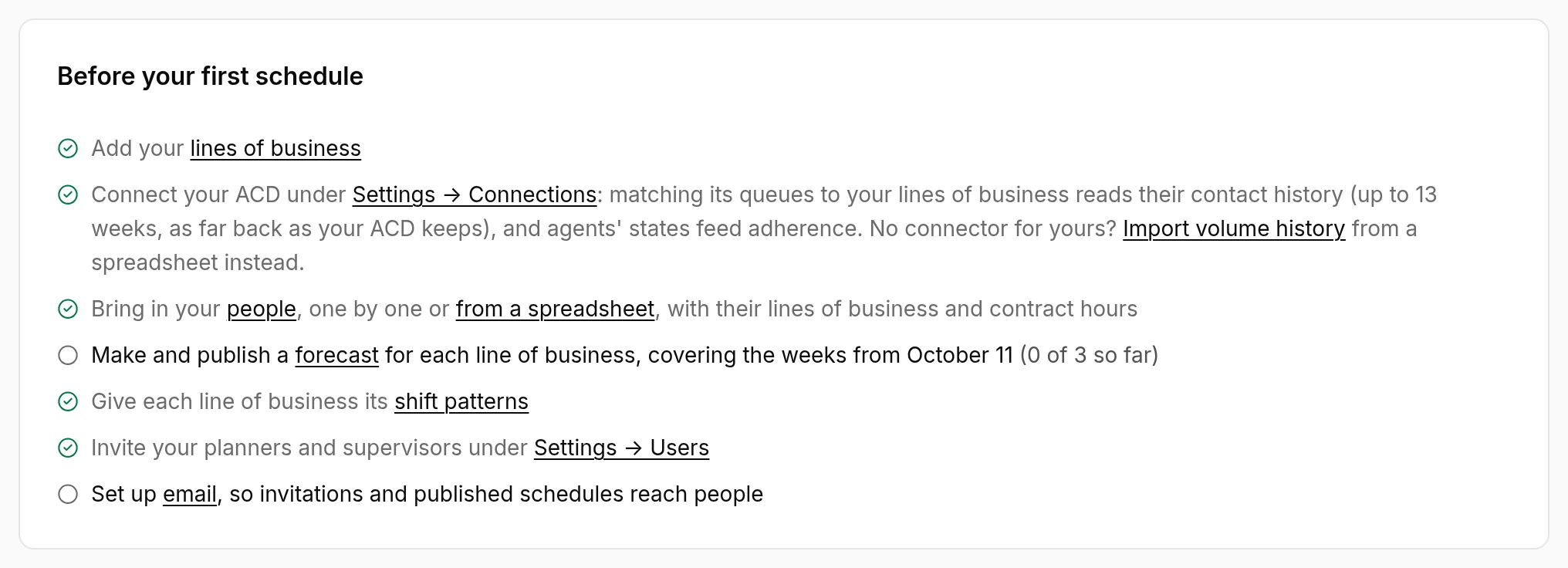
- Lines of business, under Settings → Lines of business: each with its queues, service target and shrinkage. Add sites first if people work in more than one place or time zone.
- Volume history: an admin connects your ACD, or you import history from a spreadsheet.
- People, with their lines of business and contract hours: see People and teams.
- Shift patterns for each line of business, and the labour rules schedules are checked against: see Scheduling.
- Teams, so supervisors can follow their own on the wallboard.
An admin invites planners, supervisors and agents to sign in, and sets up email so invitations and published schedules reach them.
Every planning period
Erlangly plans 4 weeks at a time, from the start of next week. New forecasts and schedules offer those dates.
- Forecast each line of business: make it, check it against history, adjust it, and publish it. See Forecasting and staffing.
- Schedule the period: generate drafts, choose one, adjust the shifts, and publish it to agents. See Scheduling.
- Agents confirm with Got it. The schedule's page shows how many people with a login have seen it.
Publish well before the period starts, so agents can plan around it and ask for swaps in time.
Between periods
Things change after you publish. Erlangly keeps track and tells you what needs a look.
- A forecast republished or changed, or people's lines of business changed: the schedule says it needs generating again, and why. A new draft takes over from a day you pick, so the days before stay as published.
- Time off approved over shifts: the shifts stay, and the gap shows in coverage. A draft's Time off during shifts section lists them. See Time off.
- Swaps change who works a shift, never how many: see Shift swaps.
- Leavers come out of the schedule after their last kept shift: see People and teams.
- On the day, supervisors watch the wallboard and adherence. See Supervising with Erlangly.
Who does what
Planners do everything supervisors do, plus forecasts, schedules, people and most of Settings. Admins do everything planners do, plus users, the organisation, connections, email, sign-in and the licence. See roles.